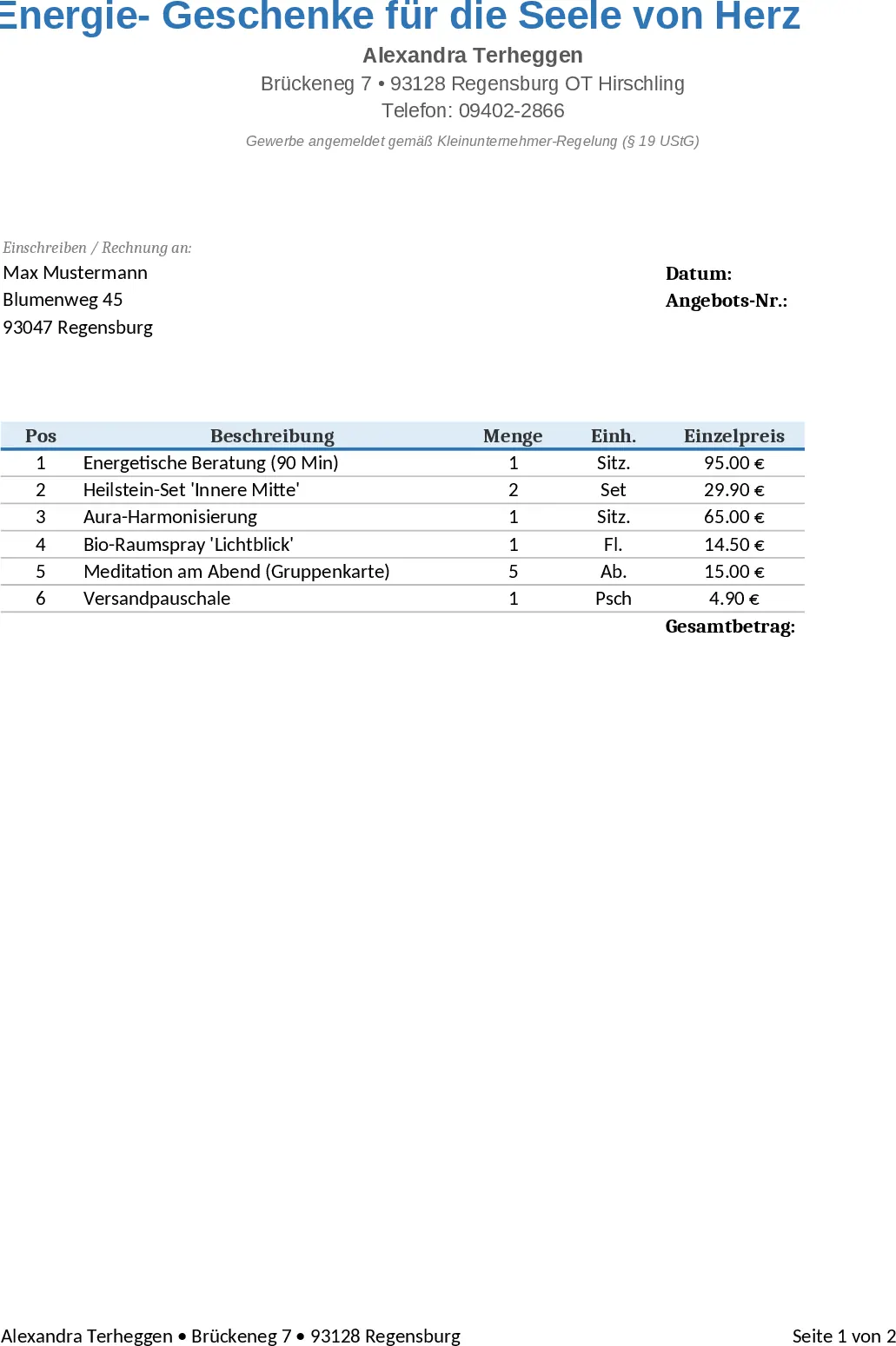
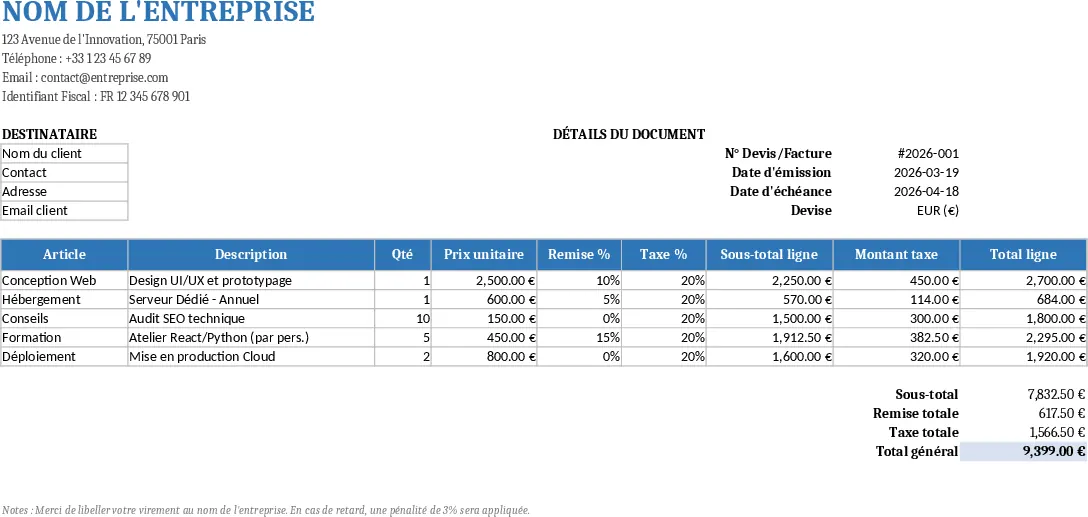
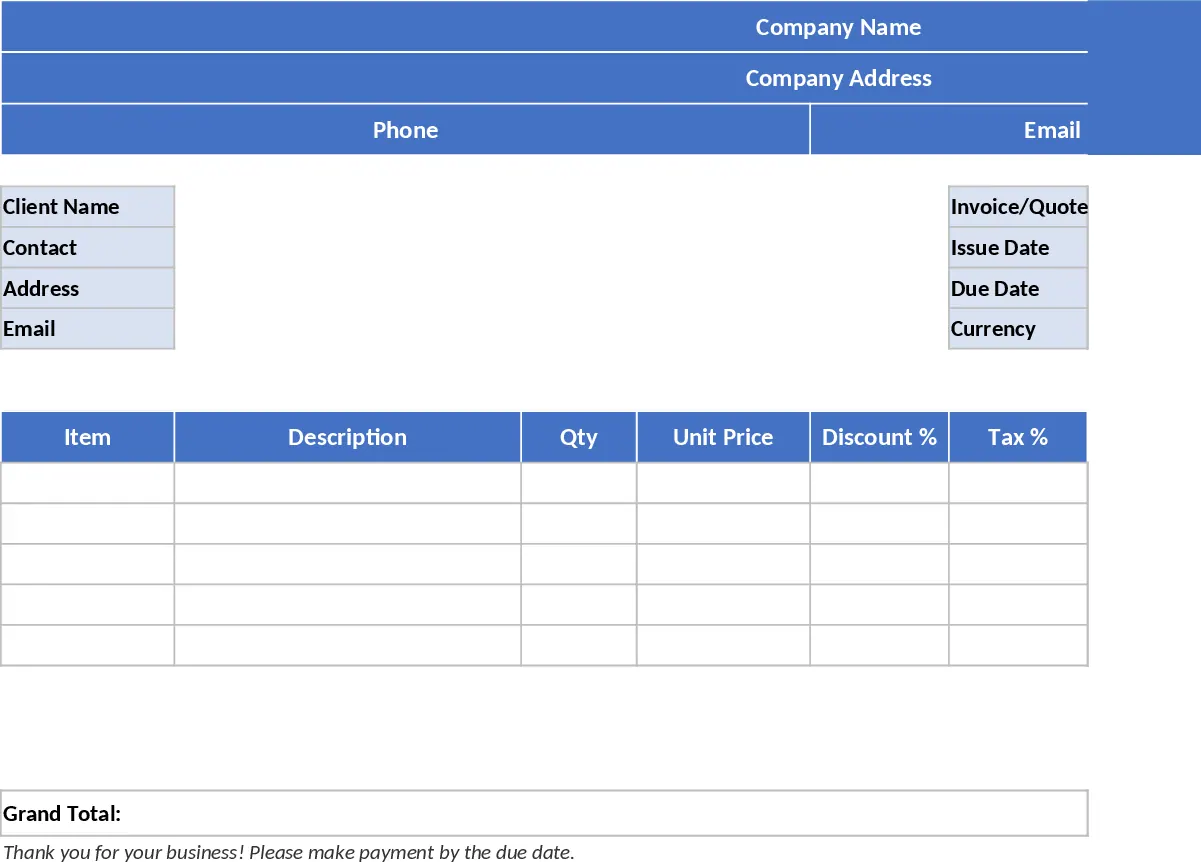
A4 인쇄용 견적·청구서 엑셀 인쇄용 보고서 템플릿
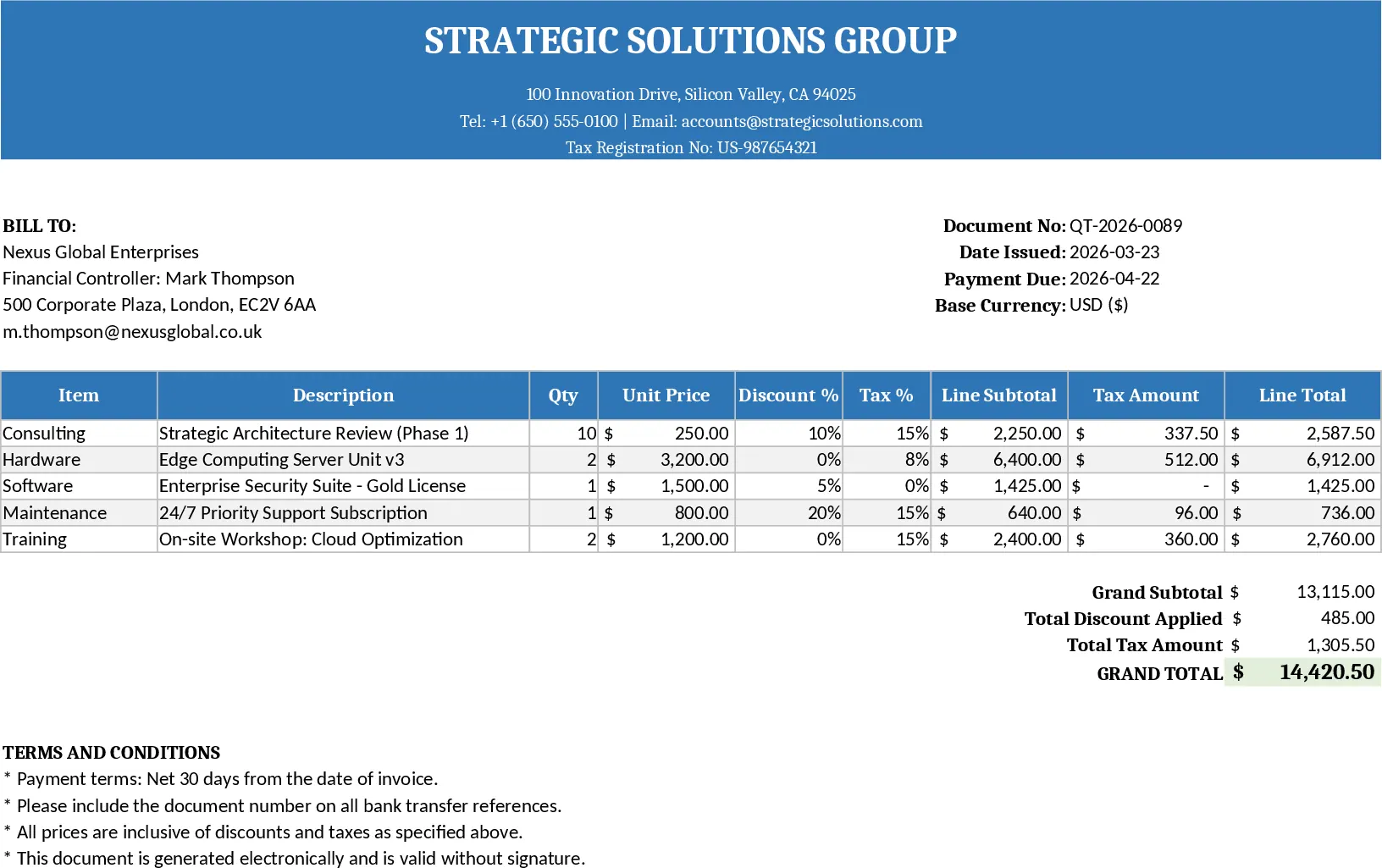
This Excel template is a single‑sheet, print‑ready Quote/Invoice form designed for small businesses, freelancers and sales teams.
At the top you’ll find a header area where you can enter your company name, address, phone, email and tax ID. Directly below, a client section captures the customer’s name, contact person, address and email. The invoice information block holds the Quote/Invoice number, issue date, due date and currency selector, so you can switch between USD, EUR or any other format with a simple cell change.
The core of the sheet is the line‑items table. Columns are set up for Item, Description, Qty, Unit Price, Discount %, Tax %, Line Subtotal, Tax Amount and Line Total. Formulas automatically compute the Line Subtotal as Qty × Unit Price × (1‑Discount %), the Tax Amount as Line Subtotal × Tax %, and the Line Total as the sum of those two. Below the table, a summary section rolls up Subtotal, Total Discount, Total Tax and Grand Total, giving you a complete financial snapshot at a glance. Five sample rows are pre‑filled to illustrate the layout, and a clean “blank” version is provided for immediate use.
This template solves the common headache of manual calculations and formatting when issuing quotes or invoices. By handling all arithmetic inside Excel, it eliminates errors, speeds up the billing cycle and ensures every document looks professional when printed on A4 or letter paper. It’s especially useful for anyone who needs to generate multiple quotes quickly, track discounts and tax rates per line item, and keep a consistent look across all client communications.
Ideal users are sales representatives, account managers, freelancers, and small‑business owners who need a reliable, no‑software‑license solution for daily invoicing. The sheet helps you track each product or service, apply individual discounts and tax rates, and instantly see the financial impact on the overall invoice. Because all calculations are live, you can experiment with pricing, see how changes affect the grand total, and make informed decisions before sending the document to a client.
How to use:
- Fill in your company details in the header and the client’s information in the client section.
- Enter the Quote/Invoice number, dates and choose the currency code; the template will format all monetary cells accordingly.
- Add your line items – type the item name, description, quantity, unit price, discount % and tax % for each row. The sheet will automatically calculate subtotals, tax amounts and line totals.
- Review the summary totals at the bottom; when satisfied, print the sheet using the predefined print area or export to PDF for electronic delivery.
Expected benefits: reduces manual calculation time, minimizes errors, and provides a polished, ready‑to‑print invoice in seconds.