근무시간 및 초과근무 급여 템플릿
Managing a growing team requires precision, especially when it comes to tracking hours and calculating fair compensation. The Employee Timesheet and Overtime Excel Template is a professional-grade solution designed to bridge the gap between daily attendance and monthly payroll. This tool is built to handle the nuances of modern work schedules, including varying hourly rates, specific overtime multipliers, and mandatory break deductions. By automating the calculation of regular and overtime hours, it removes the manual burden from HR managers and business owners, allowing them to focus on more strategic tasks.
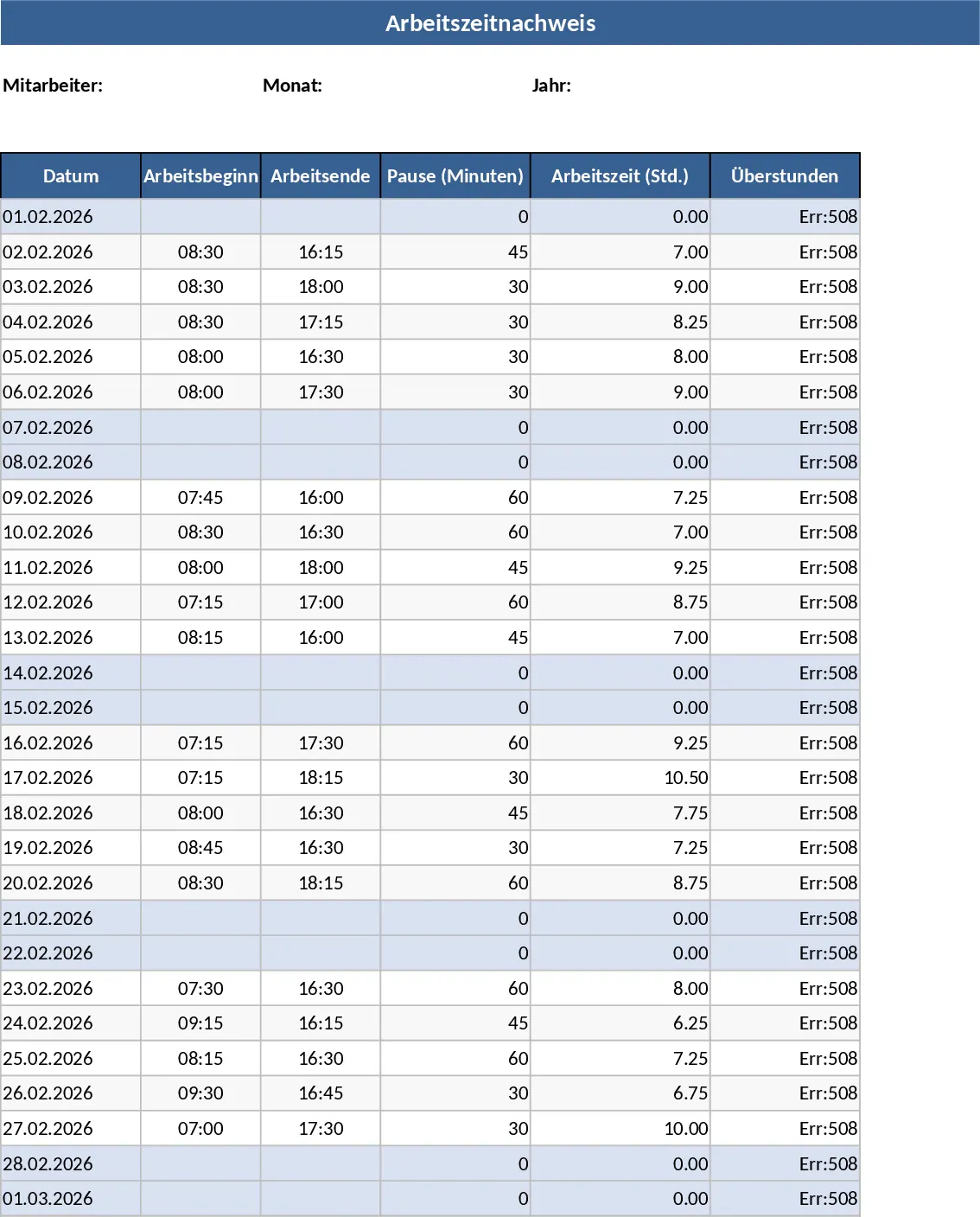
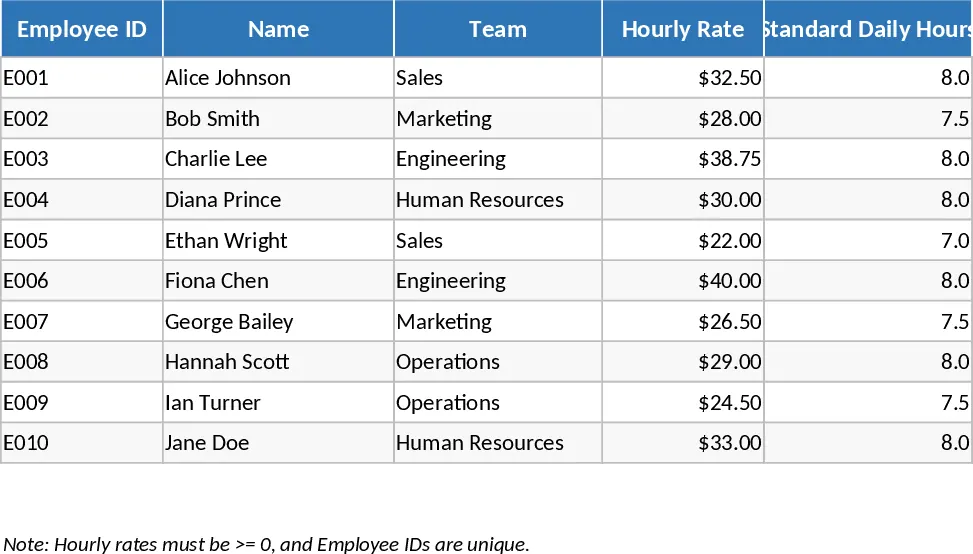
The template is organized into three interconnected sheets. The Employees sheet acts as your central directory, storing essential information like Employee IDs, team assignments, and financial parameters. Here, you can set the Standard Daily Hours and the Overtime Multiplier, which the system uses to trigger overtime calculations automatically. The Timesheet sheet is where the daily data entry happens. It features a user-friendly layout with dropdown menus for employee selection and columns for start and end times. The built-in logic automatically subtracts break times and splits the total duration into regular and overtime buckets based on the rules you defined in the employee settings. The Payroll Summary sheet then pulls all this data together, offering a month-by-month breakdown of hours and earnings, making it easy to export for accounting or direct payment.
This template is particularly useful for businesses that operate with hourly staff, seasonal workers, or projects requiring detailed labor tracking. It helps solve the problem of inconsistent record-keeping and provides a clear audit trail for labor compliance. HR professionals can use it to monitor team capacity, while finance teams can use the summary data to forecast labor costs and manage budgets more effectively. It is designed to be flexible enough for various industries, from retail and hospitality to construction and freelance agencies.
How to use this template:
- Initialize your team: Go to the Employees sheet and fill in the names, IDs, and specific pay rates for each staff member. Ensure you set the correct standard daily hours to define when overtime begins.
- Log daily activity: On the Timesheet sheet, select an employee from the dropdown menu and enter their date of work. Input the exact start and end times along with any break minutes; the template will instantly calculate the regular and overtime hours.
- Review and process: Navigate to the Payroll Summary sheet to view the aggregated totals. You can filter or view the data to get the exact figures needed for your payroll run.
Expected benefits include a significant reduction in manual calculation errors and hours of time saved during the end-of-month payroll cycle. This template provides a structured, reliable way to ensure your team is paid accurately and on time, every time.