Innovation Project Management Dashboard Template
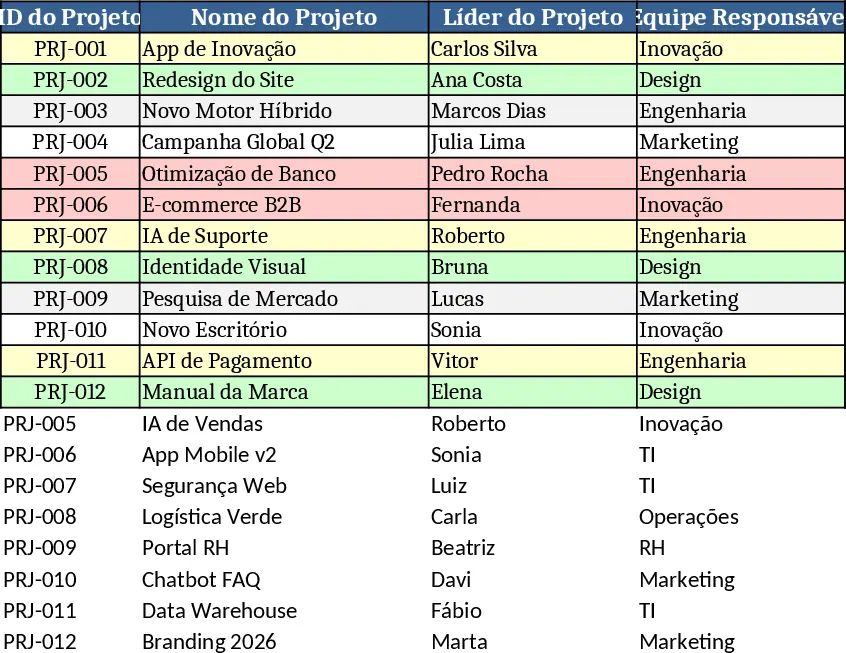
The Innovation Project Tracker is built on four interconnected sheets – Projects, Tasks, Indicators, and Dashboard. The Projects sheet captures high‑level data such as Project ID, name, leader, responsible team, main objective, status (Planning, In Progress, Testing, Completed, Paused), start and planned end dates, real end date, priority, and an auto‑calculated % Completion. Conditional formatting highlights overdue projects in red, active ones in yellow, and finished ones in green. The Tasks sheet records every work item linked to a project, with fields for Task ID, description, assignee, team, dates, status (Not Started, In Progress, Completed, Blocked) and notes, also flagging late tasks in red.
The Indicators sheet aggregates the raw data into key performance numbers: total projects, completed, in‑progress, overdue, overall completion %, average delay, task counts (completed, pending, overdue), and team‑wise completion percentages. These metrics feed directly into dynamic charts – bar charts for project progress, pie charts for status distribution, column charts for projects per team, and line charts showing monthly completion trends. All formulas are pre‑wired, so as you update the Projects or Tasks sheets the indicators refresh instantly.
Why use this template? It eliminates the need for manual status reports, reduces spreadsheet errors, and gives leadership a real‑time view of the innovation pipeline. By visualising bottlenecks, overdue milestones, and team workloads, you can re‑allocate resources quickly, keep stakeholders informed, and ensure that high‑priority ideas move forward without getting lost in the shuffle. The built‑in dashboard consolidates every KPI into a single, printable page that can be refreshed monthly with a click.
The solution is ideal for innovation managers, product owners, R&D leads, and PMO offices who juggle several concurrent initiatives. Whether you run a corporate innovation lab, a design sprint team, or a cross‑functional product development unit, the tracker gives you a single source of truth for project health, task progress, and team performance. It also supports executive reviews, board updates, and internal audits by providing ready‑to‑share charts and tables.
How to use:
- Enter project data on the Projects sheet – fill in IDs, names, leaders, teams, dates, and set the status from the dropdown list.
- Add tasks on the Tasks sheet, linking each task to its Project ID; the % Completion column on the Projects sheet updates automatically.
- Review indicators on the Indicators sheet – the numbers and charts adjust as you enter or modify data.
- Refresh the Dashboard – the visual summary reflects the latest indicators; you can filter by team or priority to focus on specific areas.
Expected benefits: streamlined reporting, faster decision‑making, and less time spent on manual calculations, letting your team concentrate on delivering innovative results.
相似模板推荐
Action Plan Dashboard Template
A ready‑to‑use action‑plan template with a built‑in dashboard to track tasks, owners, deadlines and progress at a glance.
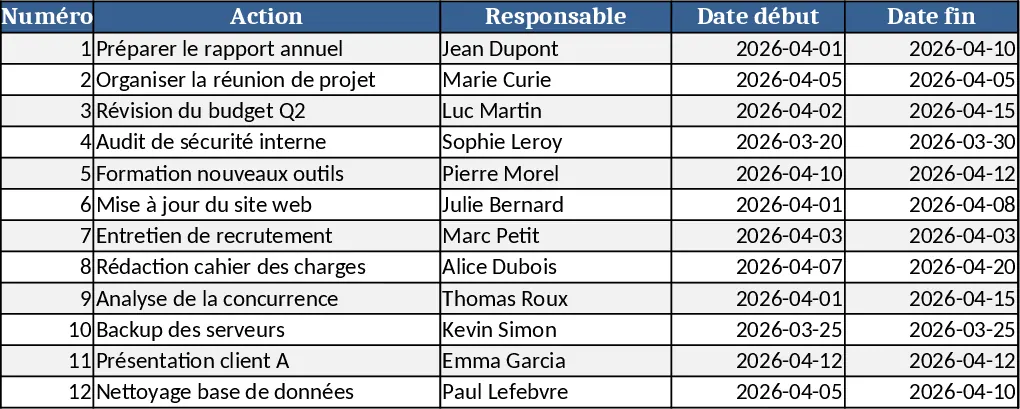
Project Task and Progress Tracker Template
Efficiently track project tasks, assignees, and completion percentages while monitoring timelines and progress updates to ensure timely delivery.

Strategic Project Activities Tracking Template
Manage strategic project tasks with visual status indicators to track responsibilities, deadlines, and progress across multiple initiatives.