Annual Productivity Tracker with Dashboard Template
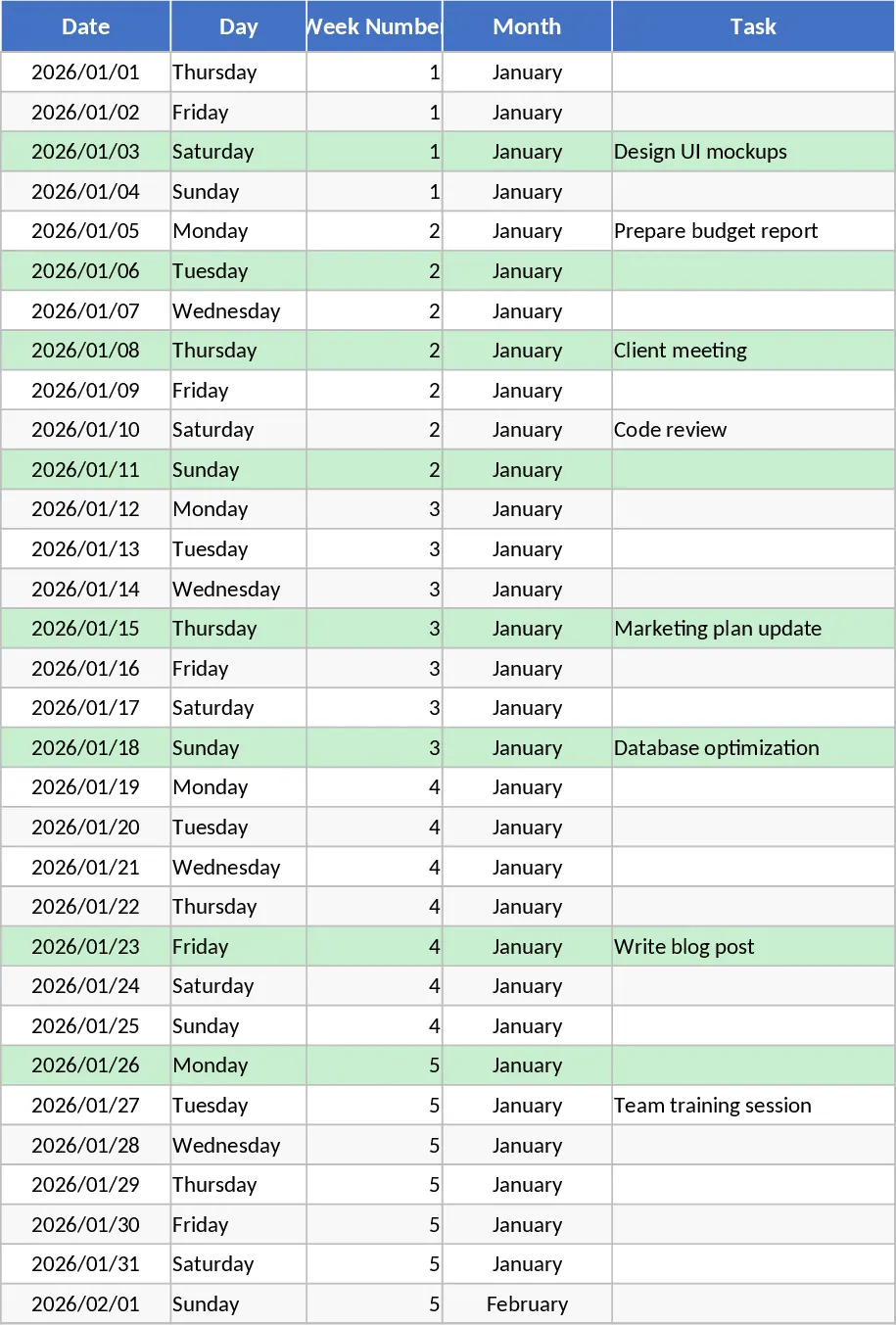
The Yearly Productivity Tracker is a ready‑to‑use Google Sheets workbook that turns a simple task list into a powerful performance dashboard. It contains four main sheets: Daily Log, Weekly Summary, Monthly Summary, and Dashboard. The Daily Log sheet is pre‑filled with every date of the chosen year, automatically showing the day of the week, week number, and month. Columns let you record the task name, its category, status (via a dropdown of Pending or Completed), and a checkbox to mark it as done. Conditional formatting highlights completed tasks in green and pending high‑priority items in red, giving you instant visual cues.
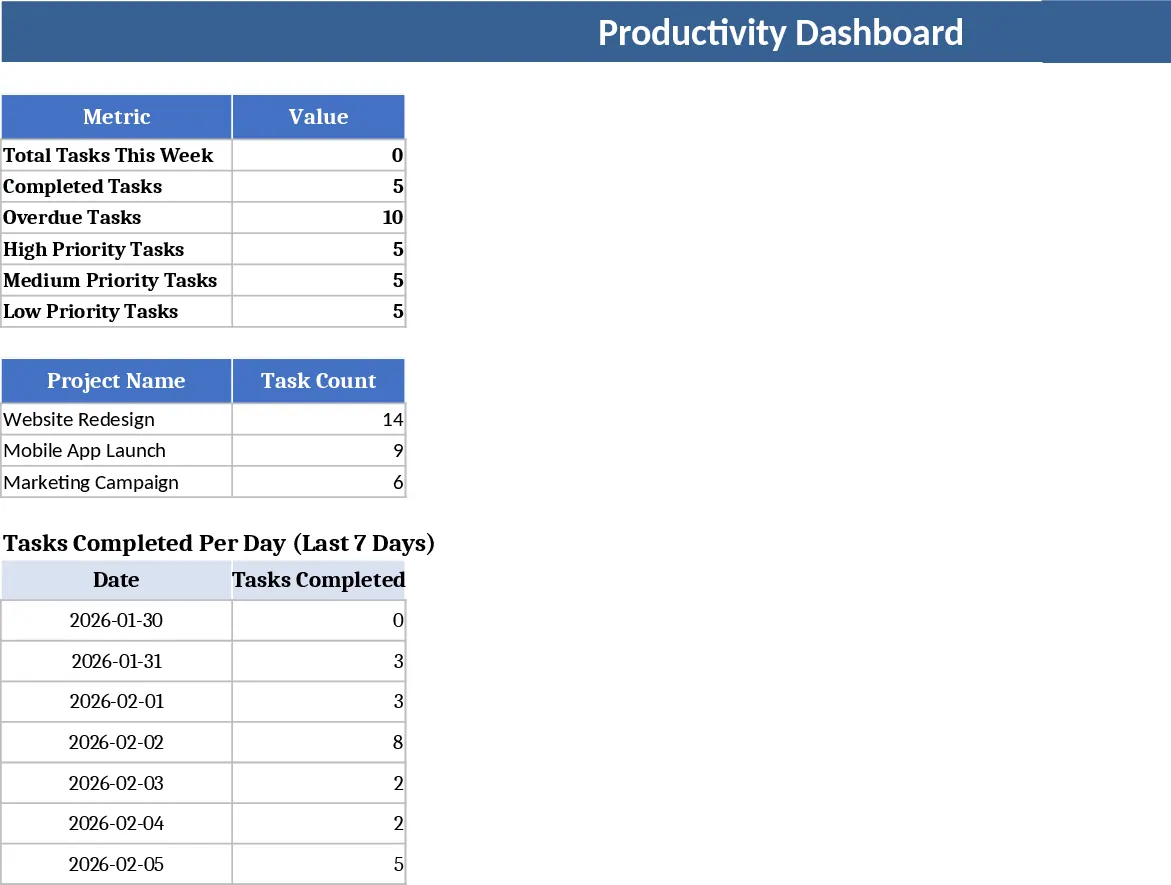
The Weekly Summary sheet aggregates data by week number, calculating total tasks, tasks completed, and a completion percentage using built‑in formulas. The Monthly Summary does the same on a month‑by‑month basis. Both summaries feed into the Dashboard sheet, where three charts provide a quick visual snapshot: a line chart for daily productivity trends, a bar chart for weekly performance, and a pie chart that breaks down monthly completion rates. All charts update automatically as you log new entries, so you always see the latest picture without manual refresh.
This template is ideal for anyone who wants to keep a systematic record of their work—freelancers, project teams, office staff, or students managing study plans. By consolidating daily entries into weekly and monthly overviews, it eliminates the guesswork of progress tracking and helps you spot bottlenecks, prioritize high‑impact tasks, and maintain a steady workflow throughout the year. The visual dashboard turns raw numbers into actionable insights, making it easy to share progress with managers or collaborators.
How to use
- Open the workbook and select the year you want to track; the Daily Log sheet will already list every date.
- For each day, fill in the Task, choose a Category, set the Status from the dropdown, and tick the Done box when finished.
- Switch to the Weekly Summary or Monthly Summary sheets to see automatically calculated totals and completion percentages.
- Visit the Dashboard sheet to view up‑to‑date charts that reflect your productivity trends.
Expected benefits: You’ll spend far less time compiling reports, gain clearer visibility into your work patterns, and enjoy a more organized, data‑driven approach to daily productivity.
相似模板推荐
Professional Daily Work Log Dashboard Template
Professional Excel daily work log with dropdowns, conditional formatting, auto summaries and visual dashboard.
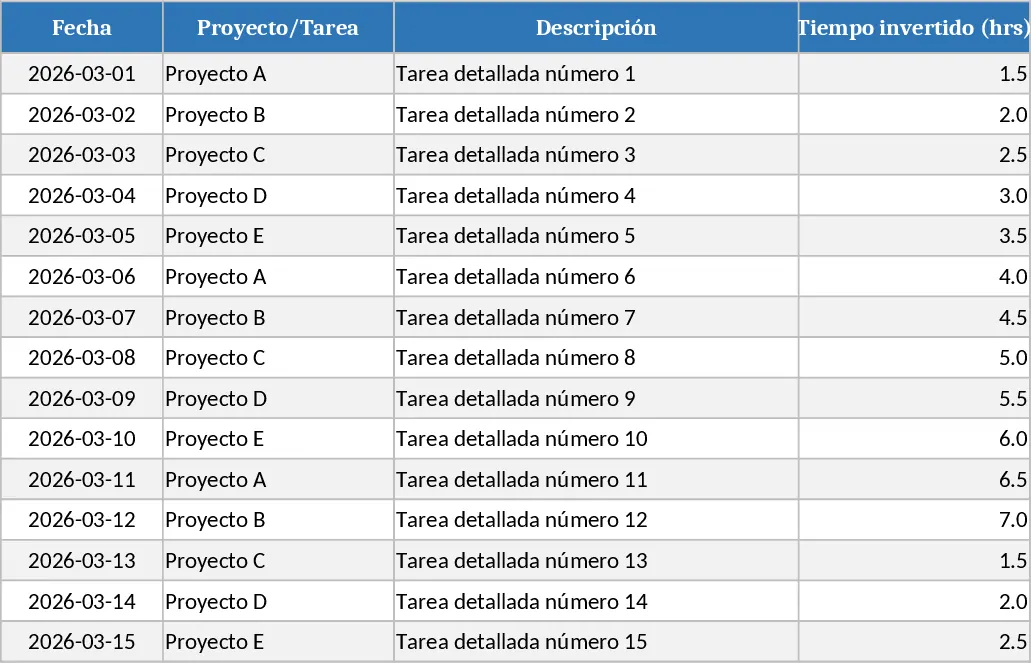
Daily Task and Project Productivity Dashboard Template
Organize your daily workflow and monitor project milestones with a comprehensive dashboard designed to enhance personal and team productivity.