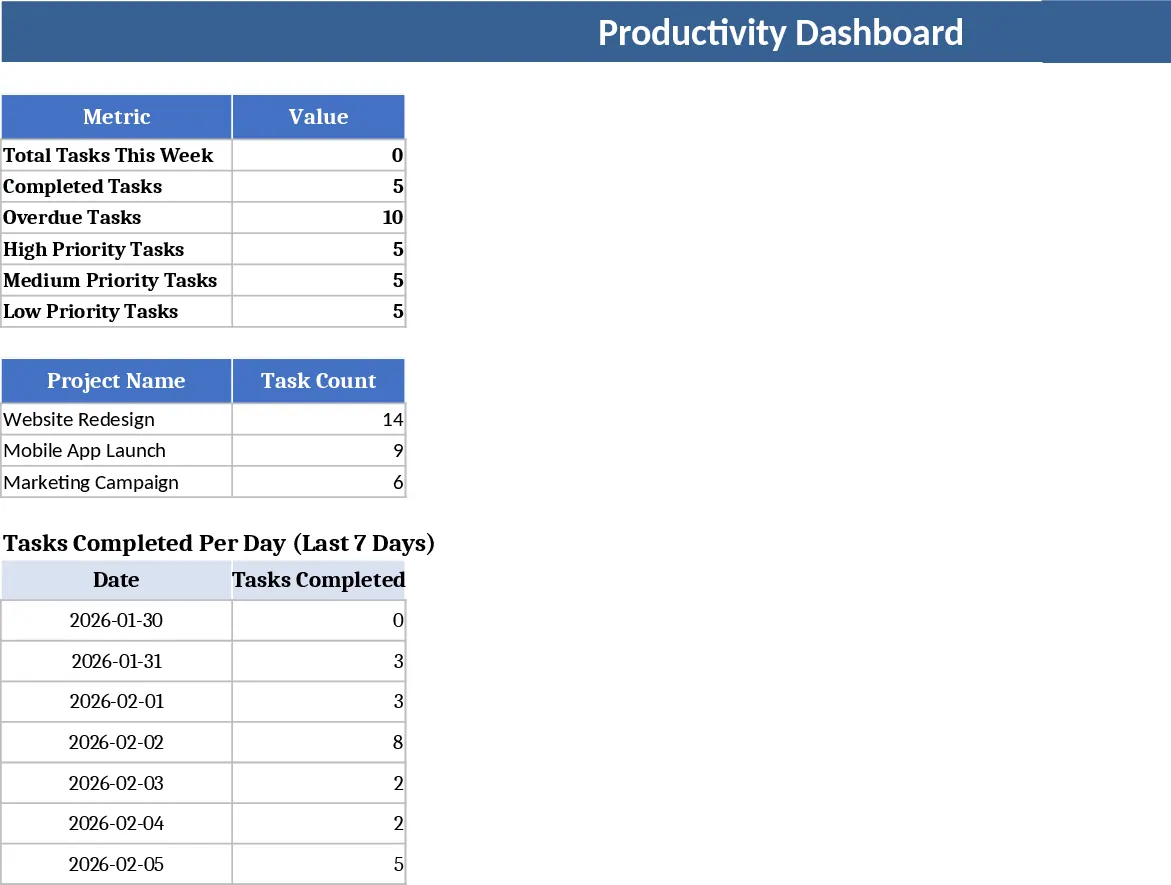
Professional Daily Work Log Dashboard Template
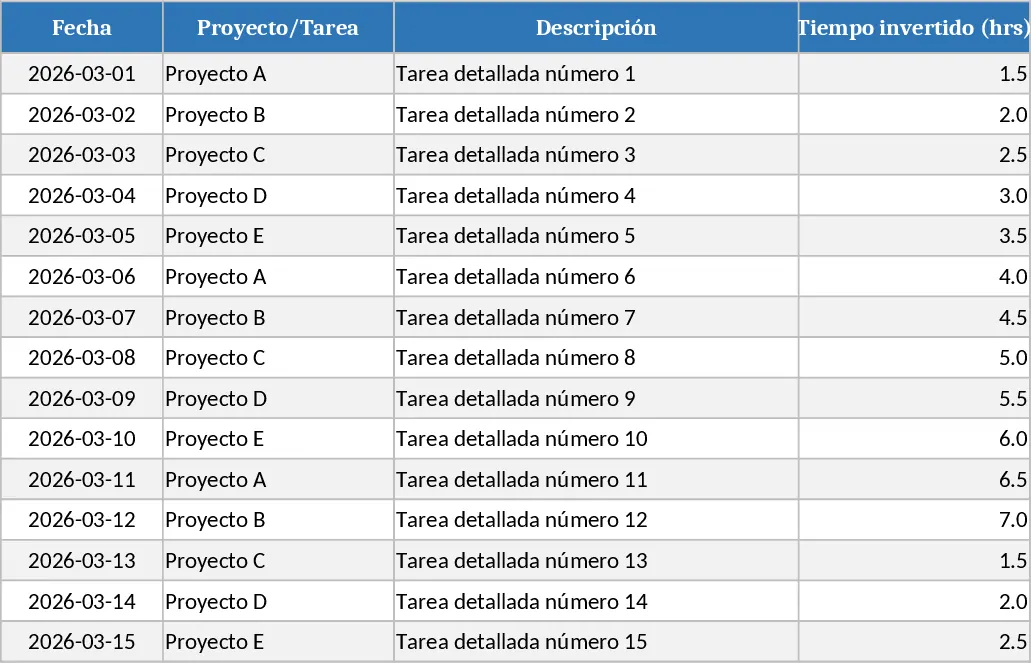
This Excel template is built for anyone who needs a clean, professional way to record daily work activities. It consists of three main sheets: Data Entry, where you log each task with fields for Date, Project/Task, Description, Hours Invested, Status, Priority, and Observations; Summary, which automatically aggregates total hours by day and week using simple formulas and pivot tables; and Dashboard, a visual hub that shows a bar chart of hours worked per day, a pie chart of time distribution across projects, and a gauge indicating the percentage of tasks completed. Dropdown lists for Status (Pending, In Progress, Completed) and Priority (High, Medium, Low) keep entries consistent, while conditional formatting highlights pending tasks in red, completed ones in green, and high‑priority items in yellow, making the sheet instantly readable.
The template solves the common headache of manually compiling daily work reports and tracking project progress. By automating calculations and visualizing key metrics, it saves you the time spent copying data into separate reports and eliminates errors caused by manual entry. Managers get a quick snapshot of team productivity, while individual contributors can see how their time is allocated and where bottlenecks appear. The clean design with soft colors ensures the workbook looks polished for internal reviews or client presentations.
Ideal for project managers, freelancers, and team members who juggle multiple tasks each day. Whether you’re running a small consultancy, a development sprint, or simply want to keep a personal record of work hours, this template adapts to any industry. It helps you track what you worked on, how long you spent, and the current status of each item, turning raw data into actionable insights.
How to use
- Open the Data Entry sheet and fill in each row with the date, project or task name, a brief description, and the hours you spent.
- Choose the appropriate Status and Priority from the dropdown menus; the sheet will automatically apply the color coding.
- Switch to the Summary sheet to view daily and weekly totals – the numbers update instantly as you add rows.
- Go to the Dashboard sheet to see the bar chart of hours per day, the pie chart of time by project, and the completion‑rate gauge.
Expected benefits: streamlined daily reporting, clearer visibility into workload distribution, and reduced time spent on manual calculations, letting you focus more on getting work done.
相似模板推荐
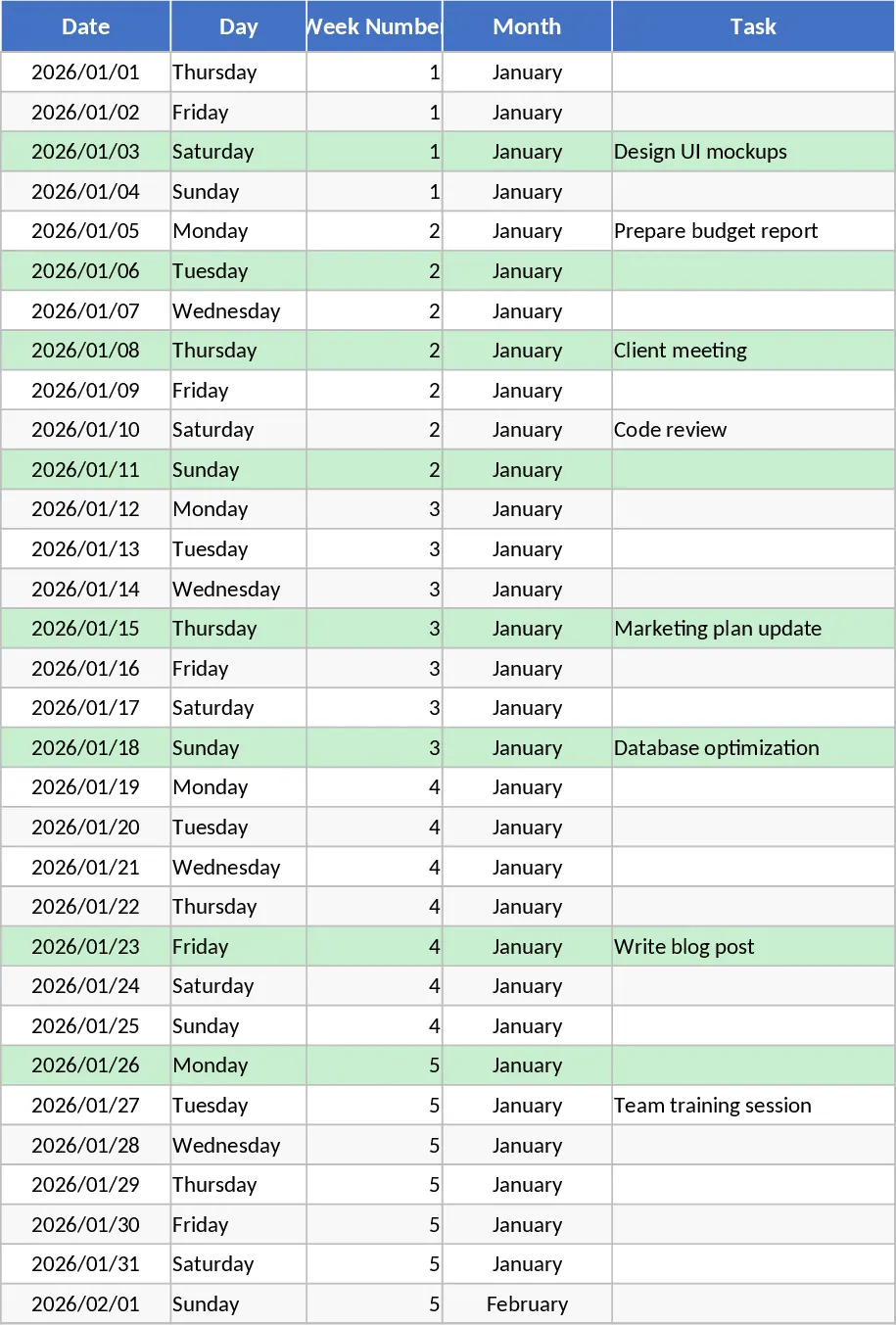
Annual Productivity Tracker with Dashboard Template
Track daily tasks, weekly and monthly progress, and visualize productivity with automated charts and summaries in a clean Google Sheet.
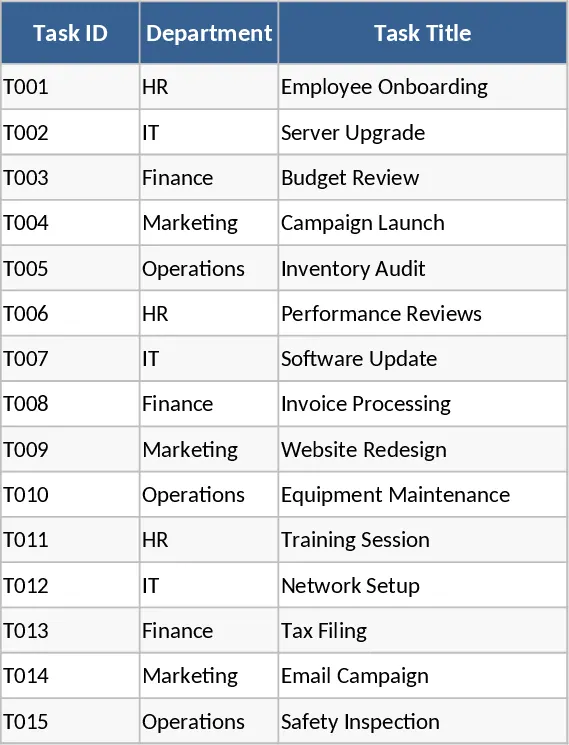
Company-wide Task Tracker Dashboard Template
A centralized Excel task tracker with department view, status colors, and a dashboard summarizing progress, delays, and overall metrics.
Daily Task and Project Productivity Dashboard Template
Organize your daily workflow and monitor project milestones with a comprehensive dashboard designed to enhance personal and team productivity.