

3-Month Website Redesign Task Tracker Template
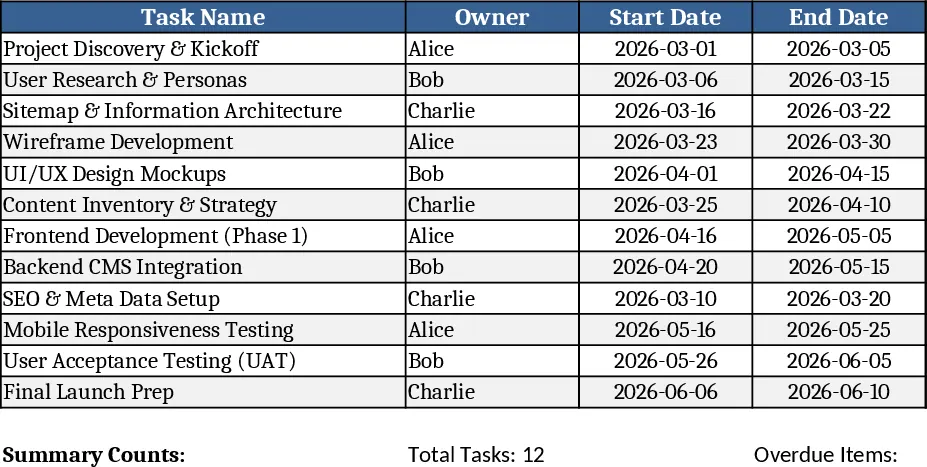
This three‑month website redesign task tracker is built on a single worksheet that captures every piece of work you need to complete. The columns are laid out as Task Name, Owner, Start Date, End Date, Status and an Overdue flag. Status is a dropdown list with the options Not Started, In Progress and Completed, while the Overdue column uses a conditional‑formatting rule that turns the cell red when the End Date passes and the task is not marked Completed. At the top of the sheet a small summary table automatically counts tasks by status and highlights the total number of overdue items, giving you a quick health check of the redesign project.
The template solves the common chaos of scattered to‑do lists and missed deadlines during a website overhaul. By centralising task details, owners can instantly see who is responsible for what and when each piece should start and finish. The visual overdue alert prevents hidden slippage, and the status dropdown makes progress reporting consistent across the team. Over the course of a three‑month sprint, this sheet keeps the project on track, reduces the need for endless email follow‑ups, and provides a clear snapshot for weekly stand‑ups or stakeholder updates.
It is ideal for web designers, product owners, marketing teams, and any project manager overseeing a site redesign. Whether you are a small agency handling a client site or an internal team revamping a corporate portal, the tracker adapts to any team size. The simple layout means no advanced Excel skills are required – anyone can open the file, fill in the rows, and instantly see the project’s status.
How to use
- Open the workbook and start entering each redesign activity in a new row – give it a clear Task Name, assign an Owner, and set the Start and End dates.
- Choose the current Status from the dropdown; the sheet will automatically update the summary counts.
- The Overdue column will turn red for any task whose End Date is past and whose Status is not Completed, drawing immediate attention.
- Review the summary table at the top to see total tasks, how many are on track, and any overdue items; use this view in meetings or status reports.
Expected benefits: you’ll spend far less time hunting for missed deadlines, enjoy clearer ownership visibility, and keep the redesign timeline moving smoothly with minimal manual reporting.
相似模板推荐
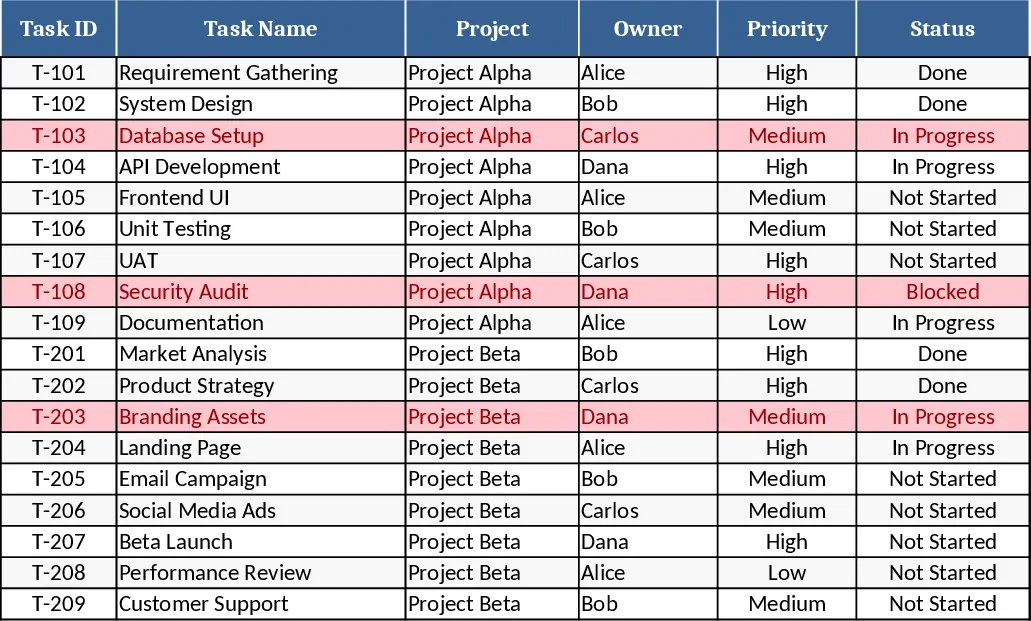
Project Task Tracker & Overview with Conditional Formatting Template
Track, prioritize, and monitor project tasks with owner assignments, status, deadlines, and visual summaries of progress and overdue items.
All-in-One Project Management Template
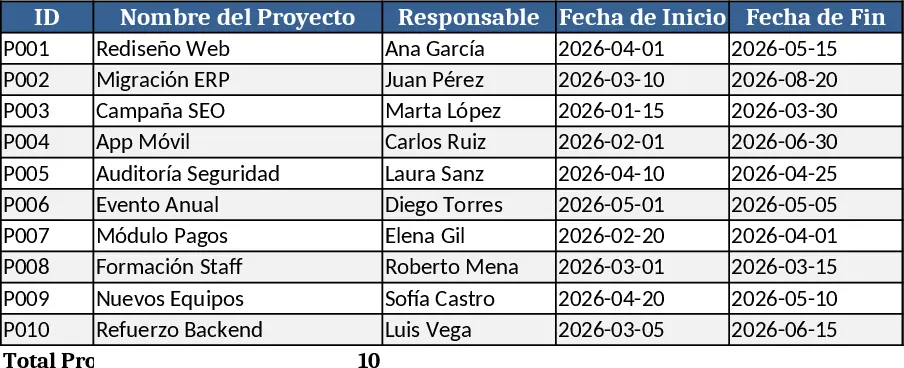
A comprehensive Excel template to plan, detail, execute, track and monitor all your projects step by step.
Dual Task List and Progress Comparison Template
Manage two separate task lists side-by-side and monitor your comparative progress through an automated visual completion dashboard.
